
HotSchedules
Fourth Enterprises, LLCProductivity
3.59.94K Reviews
- Version
- 5.26.1
- Installs
- 1.00M
- Age Rating
- Everyone
Screenshots
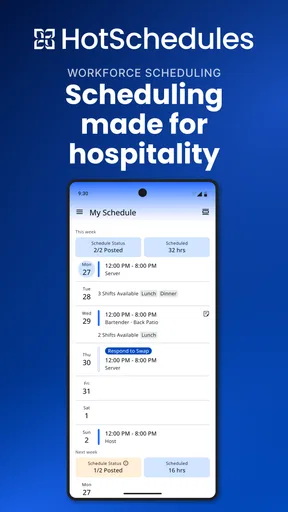
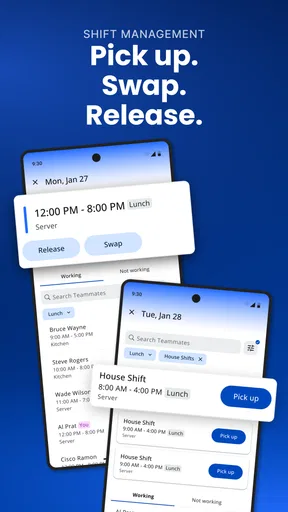
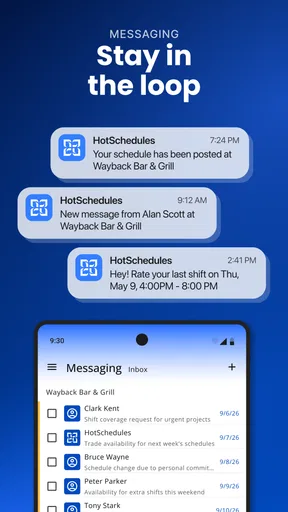
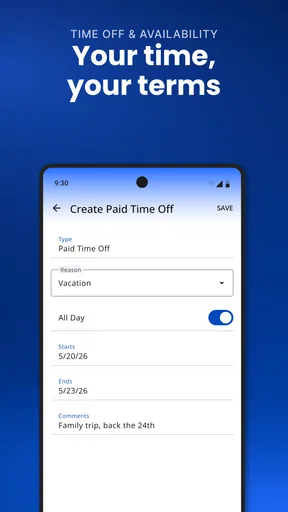
Our Review of HotSchedules
 Analysis by Appyee
On a busy shift, a schedule is only useful if everyone can find it, understand it, and act on changes without a string of calls and texts. That’s the problem HotSchedules is built around. I’d think of it less as a general calendar and more as a work-focused place for staff and managers to keep shift arrangements and team communication together. If you’re trying it for the first time, the best way to judge it is to see whether it makes one ordinary workday easier—not to expect it to replace every tool your workplace uses.
What to expect from a shift-work app
HotSchedules is a paid productivity app from Fourth Enterprises, LLC. It costs $2.99, is rated for Everyone, and has a 3.4 average from around 25,000 ratings, alongside roughly 9,900 written reviews. More than a million installs suggest it is used well beyond a small circle of early adopters, but the rating is a reminder that a widely used work app can still be a mixed experience. I would treat it as a practical tool to test against your team’s actual routine, not as a guaranteed fix for scheduling problems.
The distinction from a standard calendar matters. A personal calendar is good for blocking out your own time; a group chat is good for quick conversation. Neither naturally gives a whole shift-based team one shared process for schedules, requests, and announcements. HotSchedules is aimed at that workplace coordination problem. It makes the most sense when both employees and managers are expected to use it, since a scheduling app cannot help much if only one side checks it.
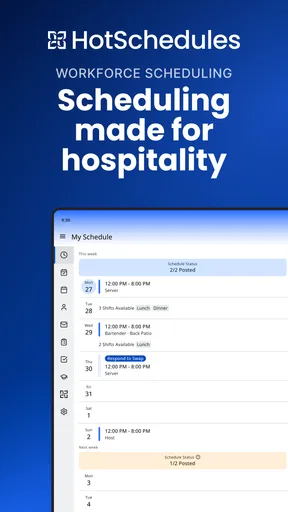
It is especially relevant to hospitality and retail teams, where staff availability and coverage can change from week to week. A small team that already coordinates smoothly in person may not gain much from adding another app. A manager handling several employees, or a worker who regularly needs to check upcoming shifts, has a clearer reason to try it. I’d also be cautious about assuming that every employer uses every function described in a general review: the useful first question is whether your workplace has set up HotSchedules as part of its own process.
Getting ready for your first useful check
The app first appeared on August 17, 2010, and its current version is 5.23.0. It requires Android 6.0 or later. Those details are useful when deciding whether an older device can run it, but they do not tell you whether your workplace account is ready. Before spending time exploring menus, check with your manager or whoever handles scheduling about how your team accesses the service and which actions you are expected to use there.
Once you have opened the app, make your first goal modest: locate the schedule you need for your next shift. Confirm that you are looking at the right workplace and time period, then compare what you see with any information your manager has already shared. That small check is more valuable than trying to learn every feature at once. If the schedule is not visible or something looks wrong, ask the manager to confirm your access and the team’s process rather than relying on an old screenshot or a message buried in a chat.
For a manager setting up a team, I would start by explaining one routine clearly: where staff should check shifts, where they should raise a change request, and how they will know a manager has responded. This removes guesswork. It also gives employees a fair chance to understand what the app is meant to handle before a busy service or store opening puts the process under pressure.
Make one everyday task easier
A realistic first success might be a worker checking tomorrow’s shift before leaving home, then using the team’s normal process to ask about a conflict. Instead of messaging several coworkers separately and hoping the manager sees the conversation, the worker can use the workplace’s scheduling workflow and wait for the appropriate approval. The key point is that a request is not the same as a confirmed change. I would keep following the existing schedule until the manager or team process makes the change clear.
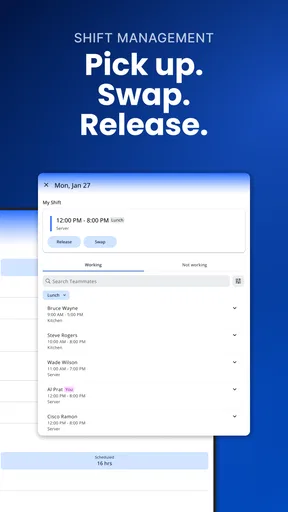
That distinction is one of the most useful habits to build. Shift swapping can reduce the back-and-forth of arranging cover, but it does not mean employees can treat a proposed swap as settled. Managers need a chance to review coverage, and coworkers need to know which version of the schedule is current. If the app is being used for swap requests, keeping the decision in that process makes it easier for everyone to work from the same understanding.
Team messaging can also be more useful when it is reserved for information that affects the group, such as an update everyone on a shift needs. For a private or urgent issue, I would not assume a general announcement is the right channel; use the communication method your workplace expects. A good rule is to keep schedule changes in the scheduling workflow and use team messages for shared context, so important details do not get lost among unrelated conversation.
Where confusion can creep in
One common point of friction is expecting a workplace app to solve a process problem by itself. If staff are unsure who approves swaps, whether they need to report an absence elsewhere, or where last-minute changes are confirmed, the app cannot make those rules obvious just by being installed. The manager’s instructions still matter. I’d ask for the team’s preferred procedure once and follow it consistently, especially for changes close to a shift.
Another trade-off is that a dedicated work app can feel like one more place to check. If your workplace already relies on a paper schedule or a different system, you may see conflicting information until the team agrees which source is authoritative. That is worth clarifying early. For employees, it prevents wasted trips or missed shifts; for managers, it avoids answering the same schedule question through several channels.
Compared with a basic calendar, HotSchedules is more relevant when the task involves a team and shift coordination rather than simply recording your own appointments. Compared with texting, it can give scheduling requests and announcements a more organized home, but a quick message may still be easier for a simple, informal question. I would not move every conversation into the app just because it exists. Use it where a shared record and manager visibility matter, and keep other communication in the channel your workplace has chosen.
Who should give it a try—and who may not need it
I’d recommend testing HotSchedules if you work shifts and need a dependable place to check the schedule your employer maintains, or if you manage staff and want a clearer route for sharing schedules and handling requests. It is most useful when the whole team understands the routine and actually checks the same source. The app’s $2.99 price is worth weighing against how often you expect to use it; if your employer does not use it or your work does not involve shift coordination, it may not earn a place on your phone.
It may also be the wrong fit for someone looking for a general personal planner, a full project-management workspace, or a tool that independently decides staffing needs. A calendar may be simpler for personal commitments, while direct conversation can be better for a one-off question that needs an immediate answer. HotSchedules is strongest when there is a continuing team process behind it, not when it is expected to replace that process.
Getting Started with HotSchedules
First things first, downloading HotSchedules is a breeze. Available on both Android and iOS, it’s just a quick trip to the app store, and boom, you’re ready to go. When you open it up, you'll notice the clean, user-friendly interface. It's designed to make your life easier, and trust me, it does just that.
Features That Make Life Easier
Once inside, you'll find a ton of features that are all about making scheduling more efficient. One of my favorites is the auto-scheduling option. With just a few taps, you can create a full schedule for your whole team. It’s like having a personal assistant who never sleeps!
Another standout feature is the shift swapping capability. We all know life happens, and sometimes folks need to switch shifts on the fly. With HotSchedules, employees can easily request swaps, and managers can approve them with just a click. No more endless email chains or texts to deal with.
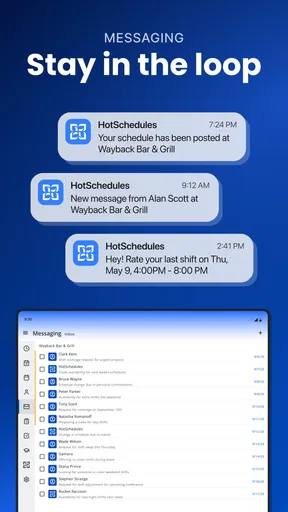
And let’s not forget about the messaging feature. Keeping communication open with your team is key, and having a centralized place to chat helps everyone stay on the same page. Plus, it’s super easy to send out announcements or updates to the whole team at once.
User Experience and Design
When it comes to design, simplicity is king, and HotSchedules nails it. The app is intuitive and straightforward, which means you don’t need to be a tech genius to figure it out. Everything is where you’d expect it to be, and the color scheme is easy on the eyes. It’s the kind of app you can navigate without breaking a sweat, even on a busy day.
Performance-wise, it’s pretty solid. I didn’t experience any lag or crashes during my time with it, which is always a win in my book. It’s quick, responsive, and gets the job done efficiently.
Who Will Benefit Most?
If you’re in the hospitality industry, retail, or any sector where shift work is the norm, HotSchedules is a game changer. It’s particularly helpful for managers who need to oversee a large group of employees and ensure that everything runs like clockwork. The app isn’t just for the big bosses, though. Employees find it helpful too, thanks to its ease of use and ability to manage their own schedules without hassle.
It’s also worth mentioning that even if you’re not super tech-savvy, HotSchedules won’t leave you in the dust. It’s designed with the user in mind, making it accessible to everyone, regardless of their tech background.
Final Thoughts
To wrap things up, HotSchedules is a must-have tool if you’re looking to streamline your scheduling process. It’s packed with features that make it easy to manage shifts and keep your team in the loop. The app does a fantastic job of balancing functionality with ease of use, making it a top choice for managers and employees alike.
So, if you’re tired of juggling schedules manually or dealing with the chaos of shift swaps and communication breakdowns, give HotSchedules a whirl. It’s a handy little app that just might become your best friend in the world of workforce management. Happy scheduling!
Verdict
Strengths of HotSchedules
- User-friendly interface makes scheduling easy.
- Real-time updates keep everyone informed.
- Integrates smoothly with payroll systems.
- Mobile access enhances convenience on-the-go.
- Customizable notifications improve communication.
Limitations of HotSchedules
- Limited offline functionality can be inconvenient.
- Occasional syncing issues with some devices.
- Subscription costs may be high for small teams.
- Learning curve for new users can be steep.
- Limited customization for shift templates.
Similar Picks in This Category
View All
Google Calendar
Google LLC4.6

Google Drive
Google LLC4.3

Google Assistant
Google LLC3.9

Microsoft OneDrive
Microsoft Corporation4.6

Samsung Calendar
Samsung Electronics Co., Ltd.4.1

Microsoft OneNote: Save Notes
Microsoft Corporation4.6
Frequently Asked Questions
What is HotSchedules used for?
HotSchedules is a scheduling and workforce management app designed primarily for the restaurant, retail, and hospitality industries. It allows managers to create and manage employee schedules, track labor costs, and communicate with team members. Employees can view their schedules, request time off, and swap shifts with ease, making it a comprehensive tool for both managers and staff.
Is HotSchedules available on both Android and iOS?
Yes, HotSchedules is available for download on both Android and iOS platforms. The app is designed to be user-friendly on smartphones and tablets, providing seamless access to schedule management and communication tools regardless of your preferred operating system. This makes it convenient for all users to stay connected and informed.
Does HotSchedules offer a free version?
HotSchedules does not offer a free version. It is a subscription-based service, and pricing may vary depending on the size and needs of your business. However, many users find the investment worthwhile due to the time and cost savings it provides in managing workforce schedules effectively.
How secure is my data on HotSchedules?
HotSchedules takes data security seriously, implementing robust measures to protect user information. The app employs encryption and secure servers to ensure that employee and business data remain confidential. It's crucial to maintain strong passwords and follow security best practices to further protect your account.
Can HotSchedules integrate with other business tools?
Yes, HotSchedules can integrate with a variety of other business tools, including payroll systems, point of sale (POS) systems, and other HR software. This integration capability helps streamline operations by ensuring that data flows efficiently between systems, reducing manual entry and increasing accuracy.
